The room
Echo, noise and an unbalanced mix. No edit can fix it.
Record your performance on your iPhone with the sound of your rig, already in sync.
BEHOLD Link for Mac and Windows: free · BEHOLD Camera for iPhone: 7-day trial, then a one-time unlock
Your phone’s mic records the room: echo, chatter, the nearest speaker. Your real tone, from your amp sim, MainStage or interface, never makes it in. And recording audio separately means lining everything up in the edit.
Echo, noise and an unbalanced mix. No edit can fix it.
The mix in your in-ears, clean and balanced, straight into the video.
Open, connect, record. No IP addresses, no hidden menus.
1
In BEHOLD Link, choose the app with your mix (MainStage, Logic, Reaper, Ableton, your guitar plugin), all of the computer’s audio or your interface input. Click Start audio.

2
Open BEHOLD Camera and plug in the cable, or use the same Wi-Fi network. It finds the computer on its own, nothing to type.
3
Picture and sound in sync in one video, saved to your library. Trim it and post it.
Record your playing. Keycam, guitarcam, basscam, drumcam: your angle with your tone, straight from MainStage, Logic, your plugin or your interface.
Clips of the service or event with the broadcast sound already in. No asking the engineer for files, no syncing in the edit.
Your set straight from the controller, without the dance-floor noise on top.
Talks, shows and interviews with the clean audio that’s already on the desk.
Media teams
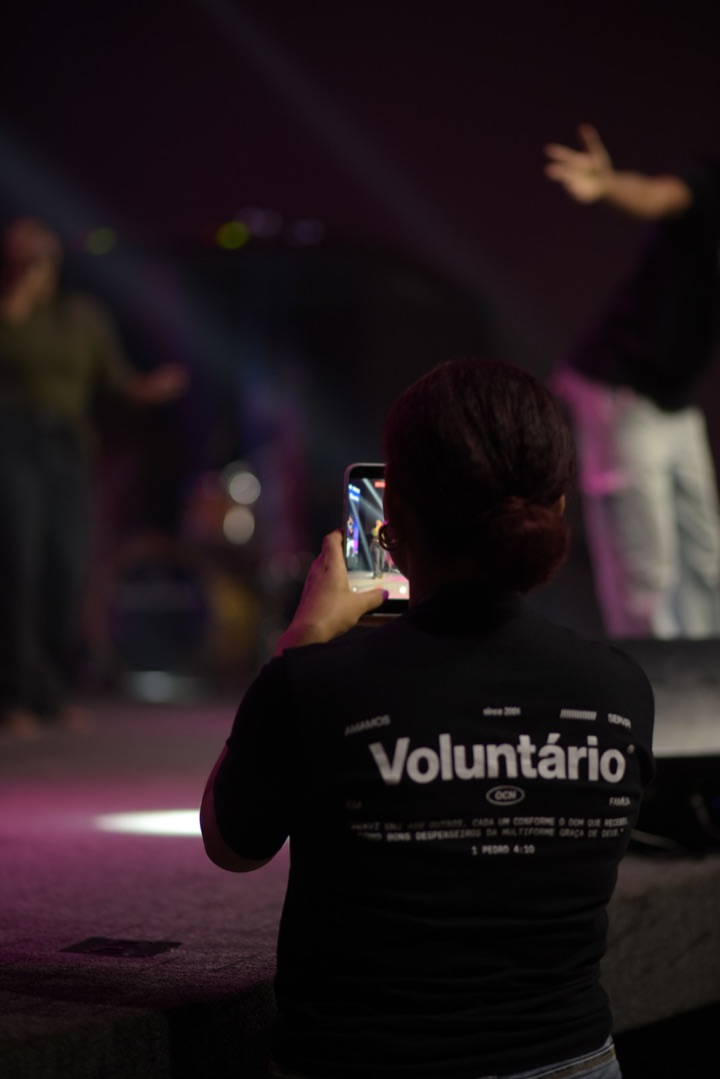
BEHOLD Link captures the computer's mixed audio and sends it to each iPhone in real time. Each volunteer shoots their own angle, and every video comes out with the clean sound of the broadcast. No asking the engineer for files, no syncing in the edit.
New MIDI keyboard
Plug the keyboard into your computer (Mac or Windows). BEHOLD Link reads the keys, the pitch bend and the modulation, and the iPhone draws it all over the picture while you record: every pressed key lit, the note names and the chord. Dm7, C7M, Bb/D, live.
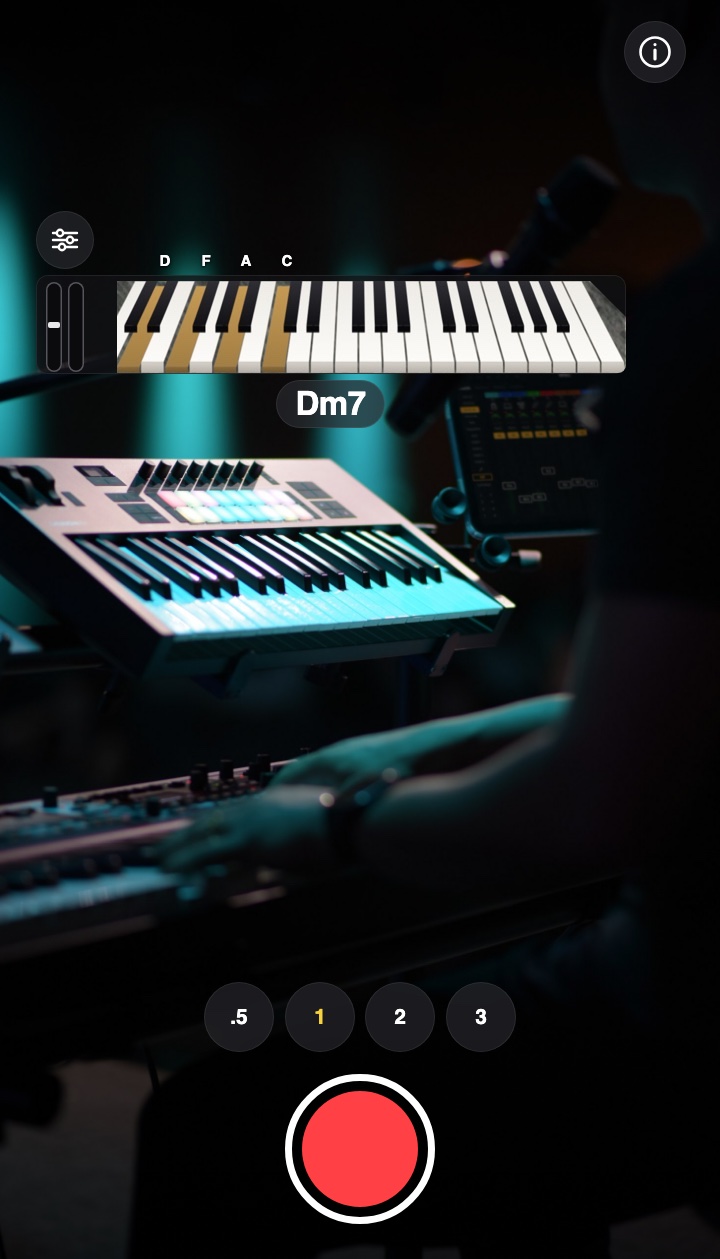
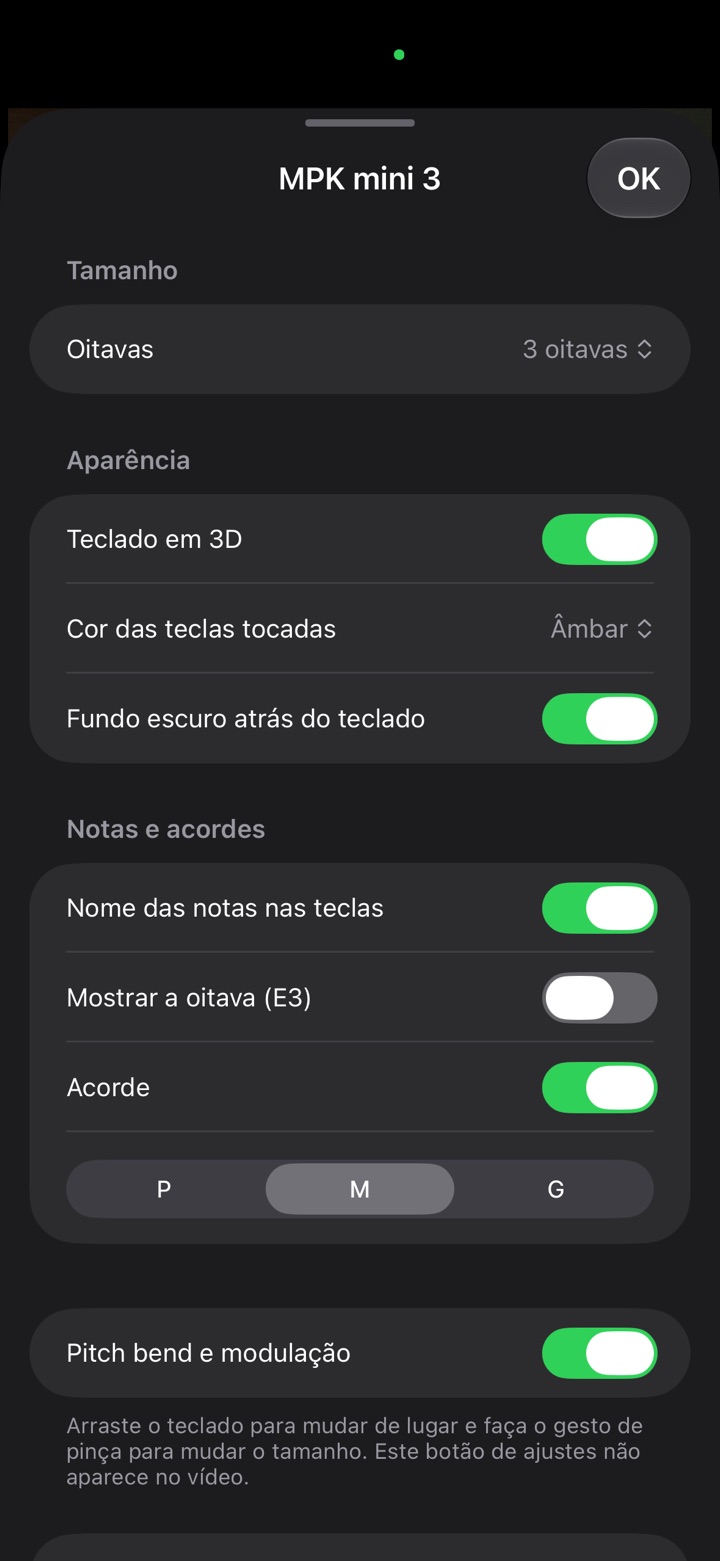

The keyboard shows up on the iPhone by itself, before you play the first note. Nothing to set up. Works with USB keyboards and MIDI interfaces.
Drag it anywhere on the frame and pinch to resize: from 2 to 5 octaves, following your hands.
Key color, 3D or flat, note names, chord size. The settings live on a discreet button that never reaches the video.
* With BEHOLD Link on the Mac and on Windows. Included in BEHOLD Camera at no extra cost.
No subscription. No account. No surprises.
BEHOLD Link · Mac and Windows
Forever. Sends your computer’s sound to your iPhones and shows every connected camera.
BEHOLD Camera · iPhone
Everything unlocked during the trial. Then keep recording with a one-time unlock. No subscription, no automatic charge.
Launch price · limited time
BEHOLD Camera is coming soon to the App Store. BEHOLD Link is available now.
No clapping, no lining up audio in the edit. The sound lands right on the picture, from the first chord to the last, even on long takes.
The video comes out of your library with the sound in sync. CapCut, Reels, YouTube: just trim and post.
Plug in the cable and it takes over instantly, charging the iPhone while you record. Unplug it and it switches back to Wi-Fi without stopping.
If the connection drops for a moment, the sound is recovered and put back in place. With no connection at all, it records with the iPhone mic.
Direct connection
Between a Mac and the iPhone, the connection is direct, just like AirDrop. No router, no venue network, no password: just keep Wi-Fi turned on on both, even without joining any network.
The steadiest connection. It takes over instantly and charges the iPhone while you record. On Windows it needs the Apple Devices app (free, from the Microsoft Store).
Both on the same network. Good for a camera farther from the computer.
No network at all, with a range similar to AirDrop: the same stage or the same room. For places where the network is poor or blocked. Available with the Mac.
On the iPhone, the connection pill shows whether you’re on Cable, Wi-Fi or Direct.
BEHOLD Link for Mac and Windows
Pick the app with your mix, all of the computer’s audio, or your interface or mixer input, in stereo or mono. Nothing to install but the app, nothing to change in your setup. And you see every connected camera and which ones are recording.
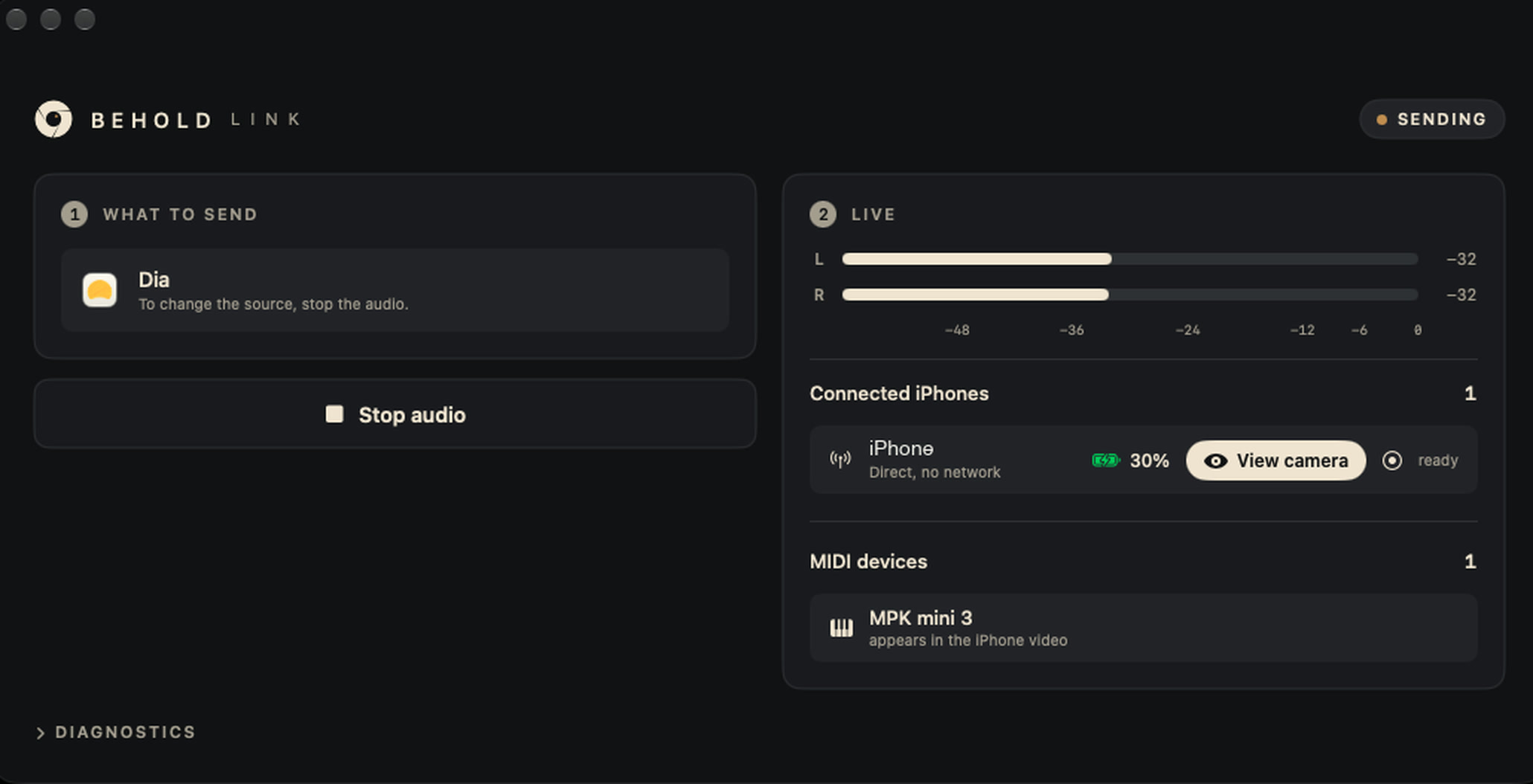
New BEHOLD Link
See the camera right next to your rig, nail the framing and hit record without leaving the keys. Across the room, the iPhone does the rest.
The camera opens next to you, in the BEHOLD Link window or in a window of its own, ready for a second display.
Record and Stop from the computer, for each camera. The video still goes straight to the iPhone’s library.
While recording, REC shows in BEHOLD Link (and, on the Mac, in the menu bar). Battery, connection and who’s recording, all in view.
BEHOLD Camera for iPhone
1080p or 4K, 30 or 60 fps. Plenty of quality to edit, trim and post.
Anti-flicker. LED walls and stage lights without flicker in the video.
Every lens. Smooth zoom and automatic switching when the light calls for it.
Tap to focus, hold to lock exposure, focus and color, drag to brighten. Just like the iPhone Camera app.
One cable, two jobs. The steadiest connection, and the iPhone charges through the whole session. No cable? It uses Wi-Fi.
Keycam, basscam and a stage camera recording together, all with the same sound and each with its own name.
You probably have it all already.
macOS 14.4 or later (Apple silicon or Intel), or Windows 10 (version 2004) or 11, 64-bit, running BEHOLD Link (free).
iOS 17 or later, running BEHOLD Camera. More iPhones, more angles, the same sound.
Any app playing (DAW, MainStage, plugin, browser) or the input of an audio interface or USB mixer.
A USB cable, the same Wi-Fi network or, between a Mac and the iPhone with no network at all, a direct connection, like AirDrop. Guest network blocking devices? Use the cable (or the direct connection, with a Mac).
BEHOLD Camera also records from an audio interface plugged straight into the iPhone, with the level on screen, or with the iPhone mic.
Android is in development. BEHOLD Camera, for now, is iPhone only.
From the stage to the screen, capture every moment with professional audio and perfectly synced video.
BEHOLD Link free · BEHOLD Camera with a 7-day trial · No account, no cloud
To record with your computer’s sound, yes: BEHOLD Link (free), on the Mac or on Windows, sends the sound, and BEHOLD Camera records the video with it on the iPhone. Without a computer, BEHOLD Camera records on its own from an audio interface plugged into the iPhone, or with the iPhone mic.
No. Connect the iPhone to the computer with a USB cable, use the same Wi-Fi network or, between a Mac and the iPhone with no network at all, keep Wi-Fi on on both: they connect directly, like AirDrop. Nothing goes out to the internet.
No, but it’s worth it: it’s the steadiest connection and the iPhone charges while it records, so the battery won’t die in the middle of the service or the show. When the cable is plugged in, the app uses it automatically. Without it, it uses Wi-Fi or connects directly, with no network.
If the sound reaches the computer, it works: MainStage, Logic, Reaper, Ableton, the browser, an audio interface, a USB mixer or Dante. You can pick a single channel (mono), perfect for bass or keys straight from the interface.
The video keeps recording. When the connection comes back, the sound for that stretch is recovered and put back in place. If it takes too long, the iPhone mic covers that part. Nothing gets lost.
Yes, on the Mac and on Windows. In BEHOLD Link, click View camera: the picture opens alongside (on the Mac, also in a window of its own). From there you can also start and stop recording and adjust the sound. The iPhone shows a notice while the computer is viewing the camera.
Yes. Keycam, basscam, stage: each iPhone records its own angle with the same sound, and BEHOLD Link shows them all by name.
Yes. The video goes to your library like any iPhone video, ready for CapCut, Reels, TikTok and YouTube.
BEHOLD Link for Mac and Windows is free. BEHOLD Camera for iPhone comes with a 7-day trial with everything unlocked. After that, a one-time purchase keeps you recording, with no subscription. Launch pricing is available for a limited time.
BEHOLD Link is now available for Windows: get it on the Download page. BEHOLD Camera for Android is still in development.